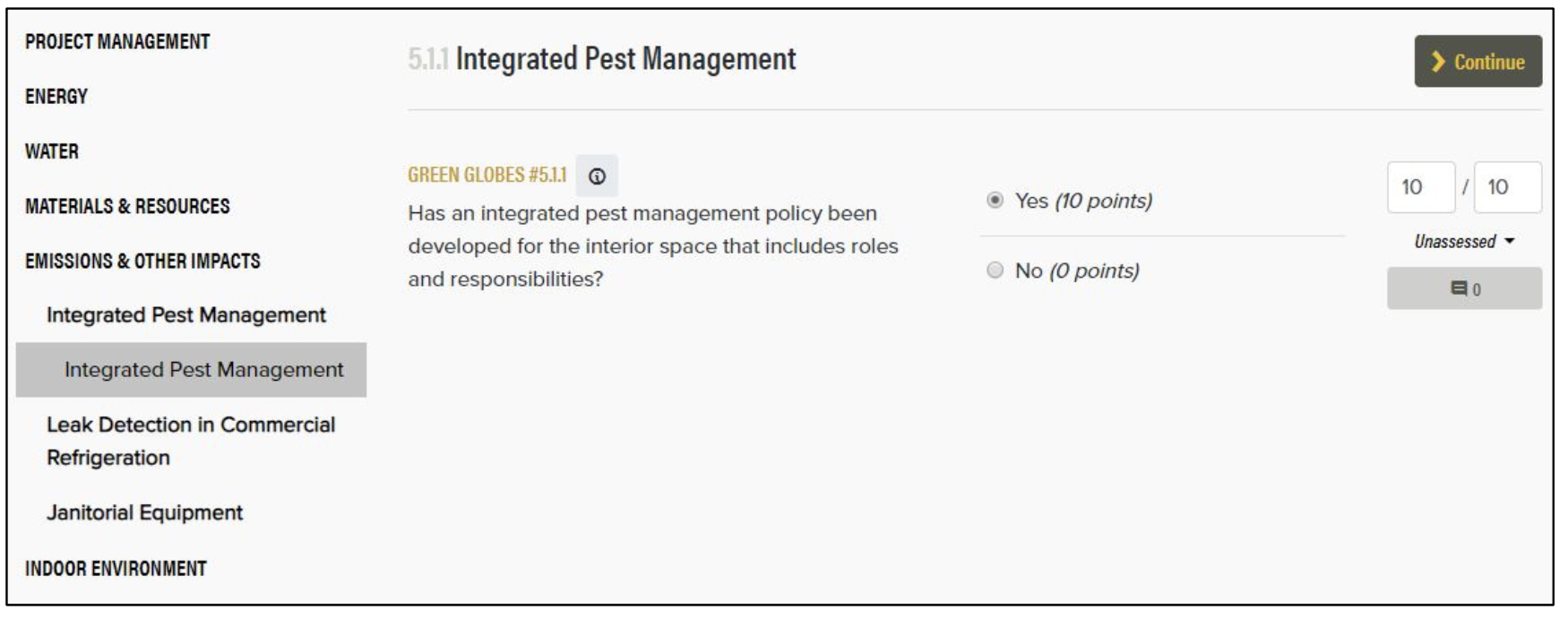
Click the "Questionnaire" button to enter the questionnaire for that Assessment Area.
You can navigate through the questionnaire by using the left sidebar, which lists the Assessment Areas, Sections, and Subsections. For each criterion within the questionnaire, there is a Green Globes ID (and optional ANSI ID), question, responses, and point allocations.
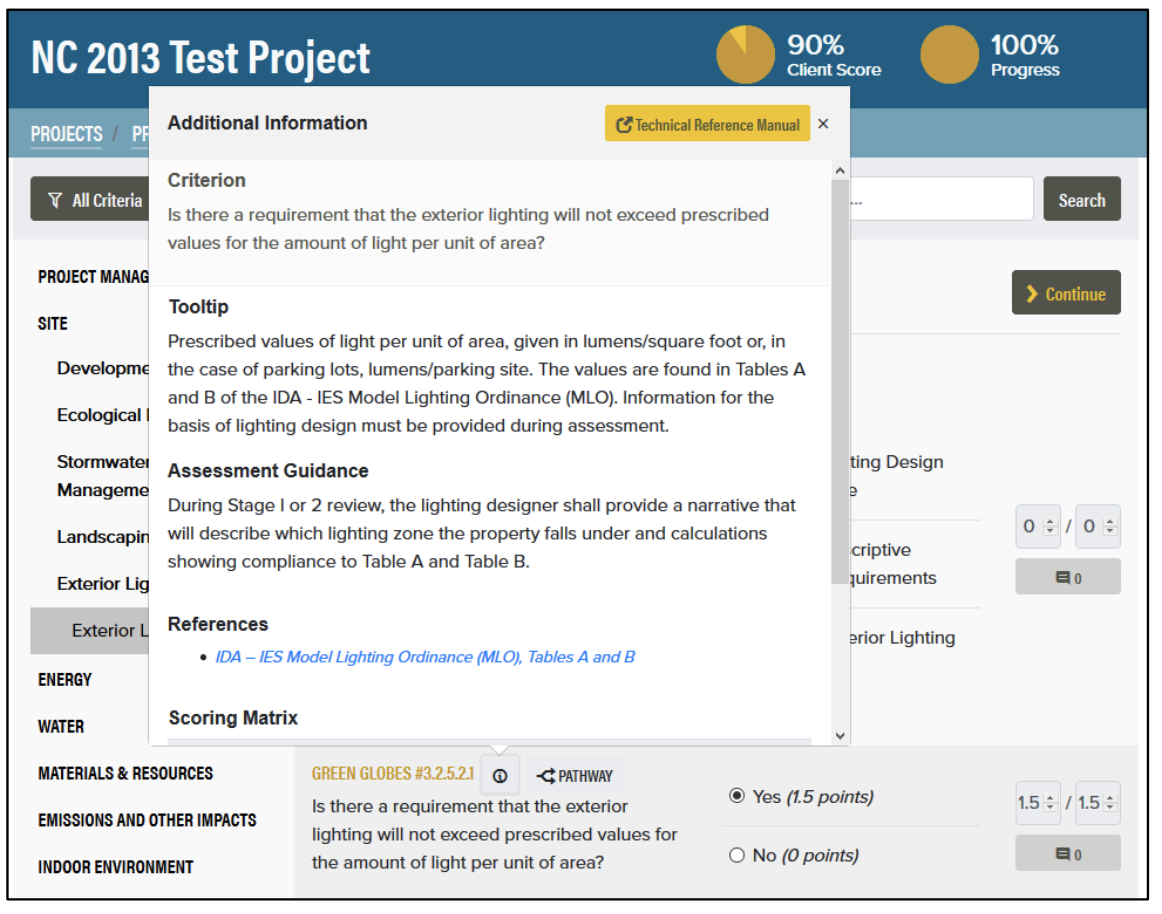
Click the Info ("i") icon to view the Additional Information popup, which contains
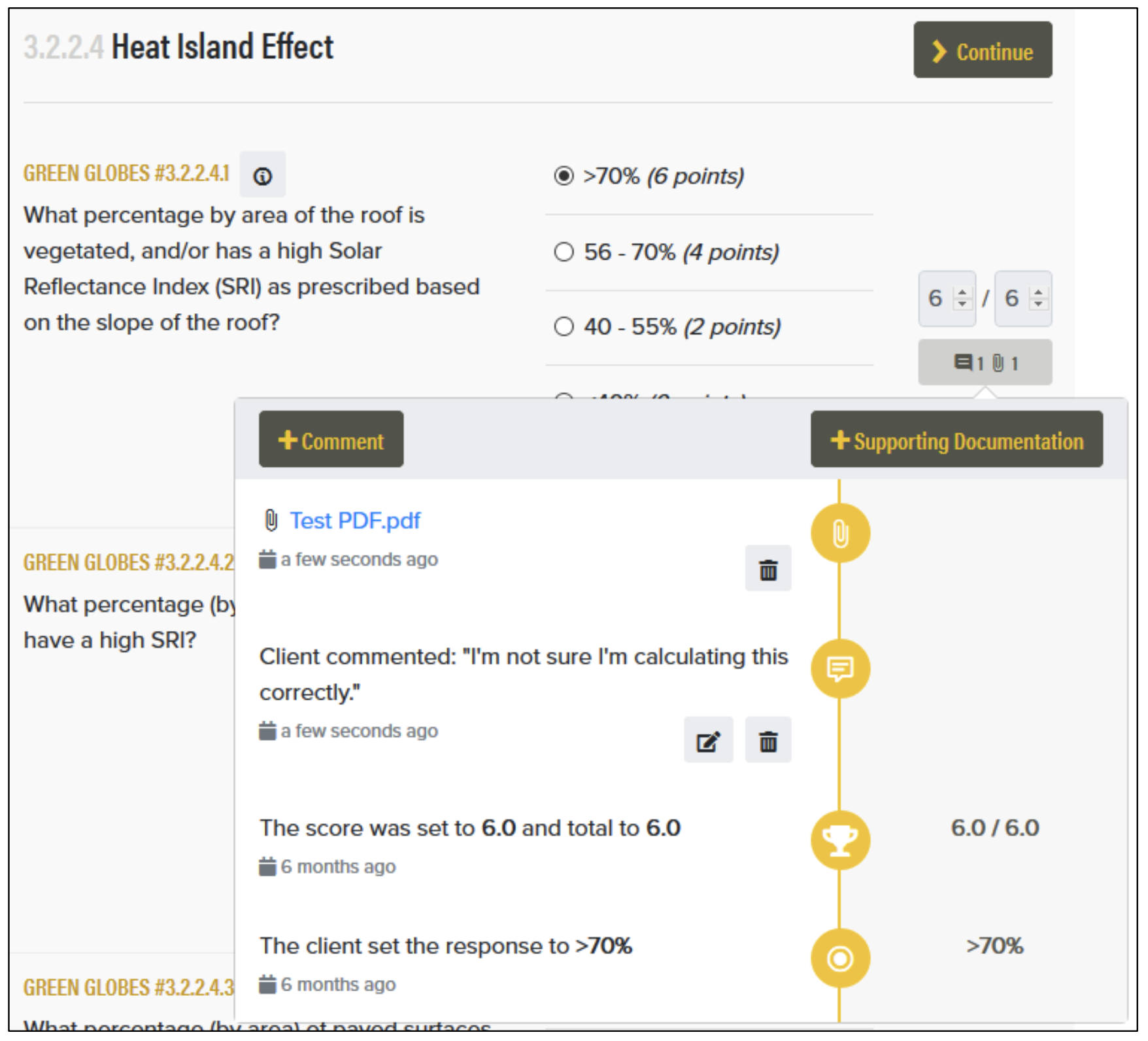
Use the Activity Log for each criterion to: